
OpenAI Codex Tutorial for China: From Payment and Installation to Hands-On CLI Mastery
1. Before We Start: Why Now Is the Perfect Time to Come Back to Codex
Recently, OpenAI's coding powerhouse Codex has taken the tech world by storm again. Even though accounts and network issues remain a small hurdle for users in China, this upgrade is too tempting not to explore.
Six months ago, my main AI coding tool was Cursor; three months ago, I switched to Claude Code. But the recent "downgraded intelligence" drama and unstable service made me look for a more reliable alternative.
Just last month, OpenAI dropped a bombshell: ChatGPT Plus users can now log in and use Codex CLI directly without configuring any API Key!
This change dramatically lowered the barrier to entry. Combined with the whole community praising the new Codex for a "quantum leap in code generation", I reinstalled Codex CLI just to try it out — and after one use, I was completely hooked.
This tutorial is my "pitfalls and hands-on practice" record, hoping to help every beginner getting started with Codex.
Friendly tip: Codex is currently a paid service. If you're still on the free tier, consider this one-click upgrade tool — it's very easy to use: ChatGPT upgrade service for China: gptplus.org.cn
If you don't have an account yet, you can register directly with any email.
2. Which Users Can Use Codex Directly?
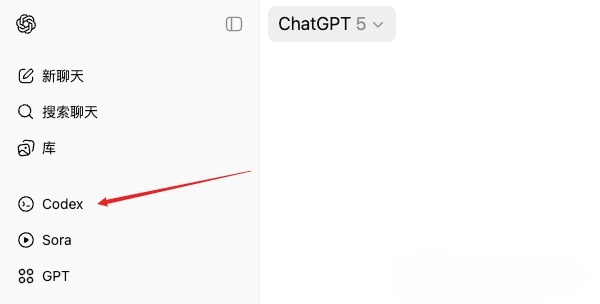
Codex access is now open to all paid members, including ChatGPT Plus, Pro and Business. As long as you're on any of these plans, you can use Codex seamlessly through three routes:
- Codex Web
- IDE extensions (VSCode, Cursor, etc.)
- Codex CLI (terminal command-line tool)
The new GPT-5-Codex model is deeply optimized for CLI, IDE plugins and cloud environments, delivering an ultimate coding experience.
3. Quick Codex CLI Installation Guide
3.1. Installing Codex CLI via NPM
If your computer already has a Node.js environment, installing Codex CLI takes just a few commands.
Steps:
# 1. Make sure your Node.js version is at least 22
node -v
# Example output: v22.21.10

# 2. Install Codex CLI globally with NPM
npm i -g @openai/codex

# 3. Verify the installation
codex --version
# Example output: 0.42.0
Faster downloads in China:
If NPM installation is too slow, use a domestic mirror to speed it up:
npm i -g @openai/codex --registry=https://registry.npmmirror.com3.2. Installing the Codex Plugin in Your IDE
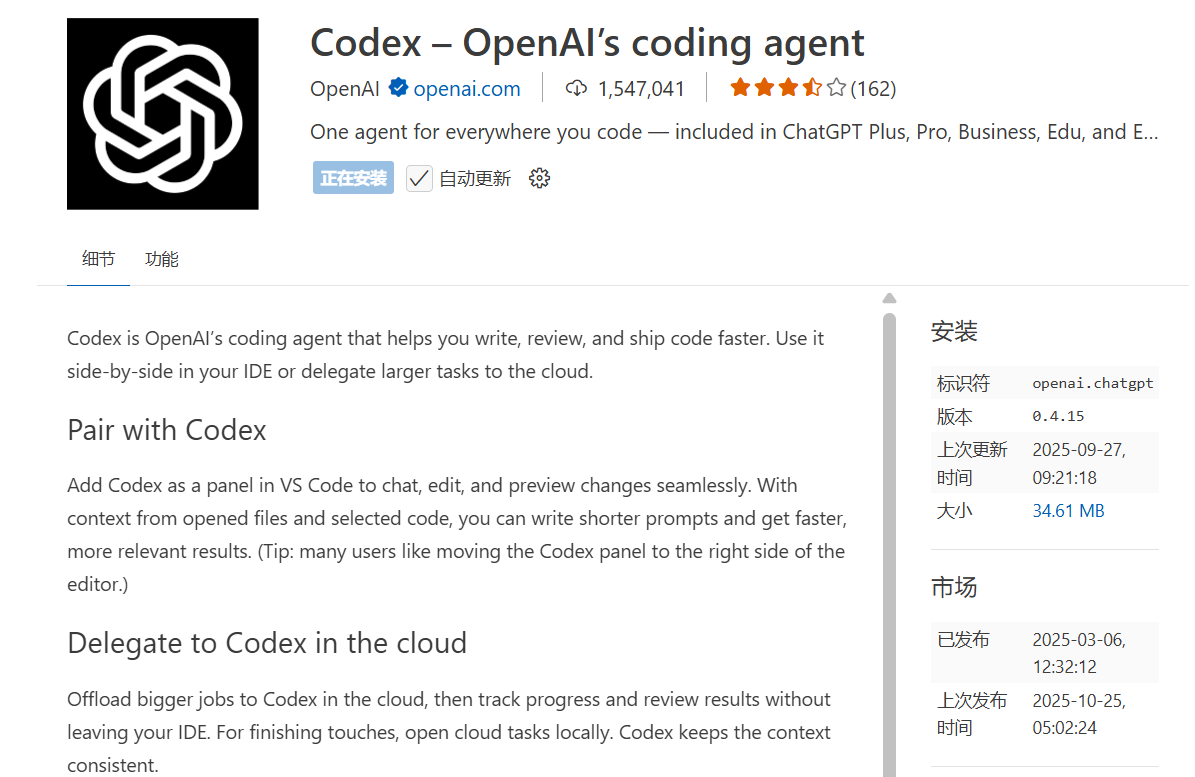
If you're not comfortable with the command line, you can install the plugin version of Codex directly from your IDE's extension marketplace — it provides a friendlier graphical user interface (GUI). Right now, mainstream IDEs like VSCode and Cursor all support it.
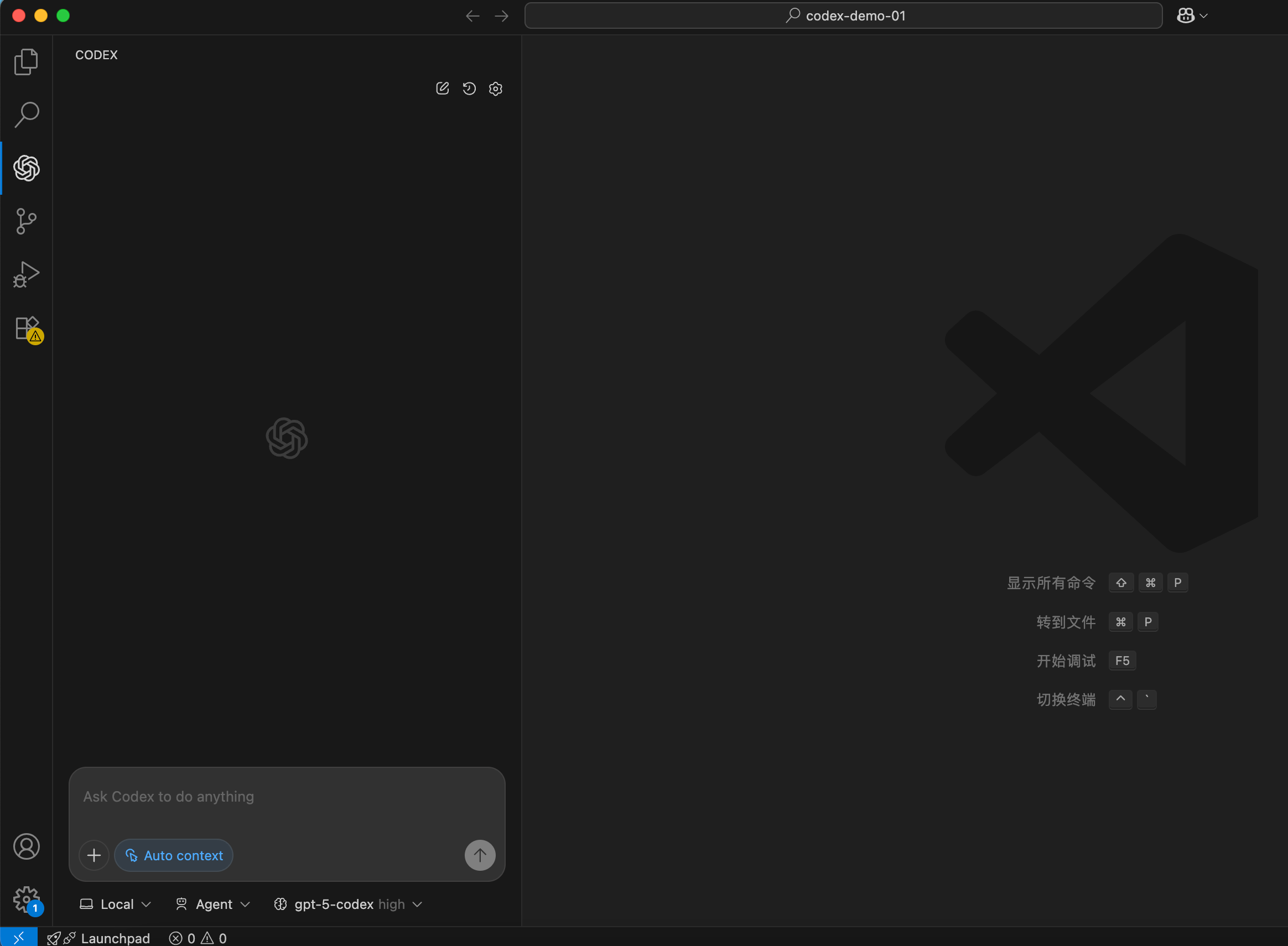
After installing, you can describe your needs directly in the input box, e.g. "refactor this file" or "add a new feature". You can also switch models easily — I personally recommend always using the most powerful GPT-5-Codex (high).
For beginners, the IDE plugin is definitely the simplest and most intuitive way to experience Codex.
4. One-Click Login: Start Your Codex Journey
After installation, launch it by typing the following in your terminal:
codexOn first run, it automatically opens a browser to guide you through authorization.
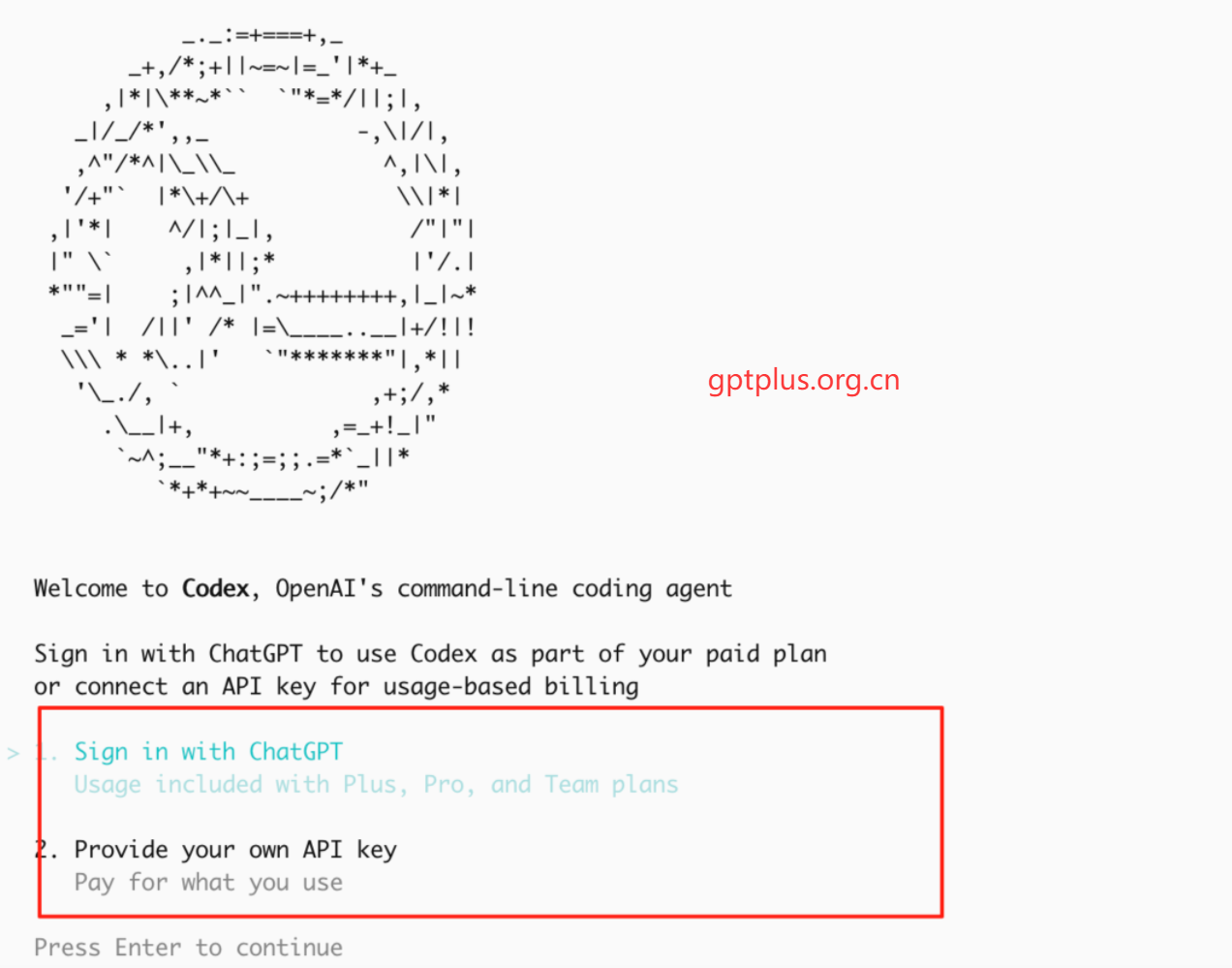
Choose the first option, Sign in with ChatGPT, and authorize with your paid ChatGPT account. After success, the page automatically writes the authorization credential (token) into the local ~/.codex/token file — no manual copy-pasting of any KEY needed, super convenient!
What if the login callback fails?
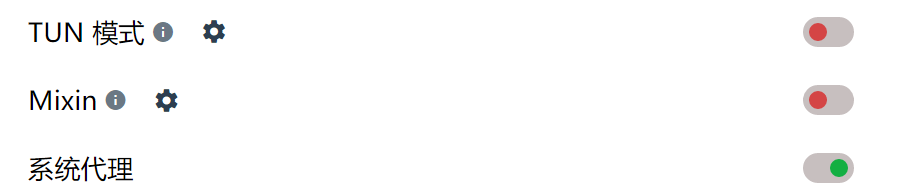
If you hit a callback failure or network error after authorization, it's usually a proxy issue. Enable the global mode of your proxy tool (TUN Mode) so terminal traffic can reach OpenAI normally.
Once enabled, go back to the terminal and run codex again to re-authorize.
5. Codex CLI Core Commands and Practical Tips
5.1. How to Make Codex Reply in Chinese?
This is a really practical configuration. A single command makes Codex talk to you in simplified Chinese by default.
In your terminal (Mac/Linux), run:
mkdir -p ~/.codex && printf 'Always respond in Chinese-simplified\n' > ~/.codex/AGENTS.mdThis command creates an AGENTS.md file in the ~/.codex/ directory with the content "Always respond in Chinese-simplified", so it takes effect permanently.
5.2. Common Commands and Scenario Examples
| Scenario | Example command | Experience |
|---|---|---|
| 1. Generate code directly | codex "Write a Python script to download files" | Produces high-quality, ready-to-run code in about 3 seconds, with no extra explanation. |
| 2. Interactive conversation | codex enters interactive mode, then >> change the script above to run concurrently | Supports Tab completion and Ctrl-R history search, with an experience comparable to zsh. |
| 3. Read an image to debug | codex -i error.png "Analyze and fix the error in the screenshot" | Can read error screenshots from your terminal or IDE directly, saving you from copy-pasting error messages. |
| 4. Refactor an entire project | codex "Add context passing to the whole Go project" | Automatically analyzes the project -> generates a refactoring plan -> produces block-by-block Diff code for your review -> applies it in one click after confirmation. |
| 5. Automated testing | codex exec "Run the current project's pytest" | Automatically installs missing dependencies -> runs the tests -> if they fail, automatically rolls back to the last successful commit. |
6. Codex vs. Claude Code: In-Depth Comparison
| Dimension | Codex (GPT-5) | Claude Code (Opus 4.1) |
|---|---|---|
| Login barrier | Very low: one-click login for ChatGPT Plus/Business users, no API Key needed. | Higher: requires a regional account + phone verification, and is picky about the network environment. |
| Response speed | Fast: ~1.2s average time to first token, nearly instant, crisp code generation. | Moderate: ~2.5s, tends to analyze and summarize before giving code, slightly sluggish. |
| Context ability | Strong: stably handles 200k+ tokens in testing, accurately understands medium-to-large codebases. | High on paper: supports up to 1M, but easily loses focus in complex multi-file projects. |
| Engineering ability | Excellent: strictly generates files by directory structure, clear Diff review flow, strong project awareness. | Okay: sometimes "over-optimizes" by merging multiple files into one output, breaking the original structure. |
| Ecosystem & experience | Professional: built-in task panel, complete Hooks community ecosystem, clean UI focused on functionality. | Complex: a large system of feature commands, with a learning curve for beginners. |
| Pricing strategy | Great value: bundled with Plus/Business membership, plenty of quota (about 40 deep interactions every 3 hours). | Tiered pricing: $20–200, with some stability risk. |
| Privacy model | Cloud sandbox: code runs in a secure cloud sandbox, no history retained. | Local execution: more private, but heavily dependent on your machine's performance and environment. |
Money-saving tip: Opening a Business membership is currently a great value. I used the self-service tool below to open one for just a few dozen yuan. Business Codex quota is identical to Plus, but the price is much cheaper.
Self-service ChatGPT upgrade tool for China: gptplus.org.cn
7. Common Codex Errors and Solutions
7.1. Error: 401 Unauthorized
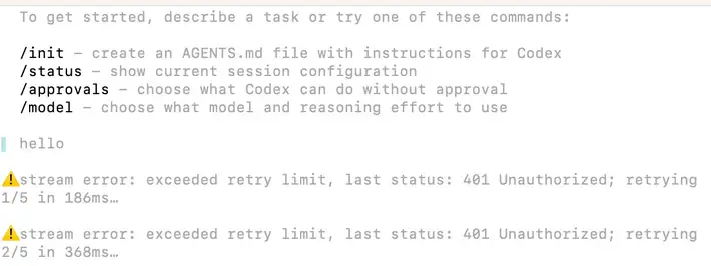
This error means your authorization has expired or your membership has lapsed.
Solution: Type /logout in Codex interactive mode to sign out, then run codex again and go through the web authorization once more.
7.2. Error: 502 stream error or Connection Failure
These problems are almost always network-related.
Solution:
- First choice: enable your proxy tool's global routing mode (TUN Mode).
- Alternative: if your proxy tool supports it, enable "system proxy" and manually specify the proxy server in the terminal:bash(Replace port
export HTTPS_PROXY=http://127.0.0.1:7890 export HTTP_PROXY=http://127.0.0.1:7890 export ALL_PROXY=socks5://127.0.0.1:78907890with your proxy tool's actual port)
Finally, happy vibe coding! Enjoy the rhythm of coding, rather than being burdened by it.